 Content Aware Scale
Examples and limitations
By the Content Aware Scale maintainer · Updated September 8, 2026
Seam carving redistributes changes across an image instead of applying one uniform stretch. It works best when the subject has room around it and the target shape is close to the source. It is not a guarantee of unchanged faces, text or geometry.
A landscape photo adapted to a square
These saved site demo files show the original dog photo and a square adaptation. Compare the face, the front paw and the books behind the dog. The face remains recognizable, but the shelf and edge of the paw show why a preview matters. These are saved examples, not a live result from your current settings.
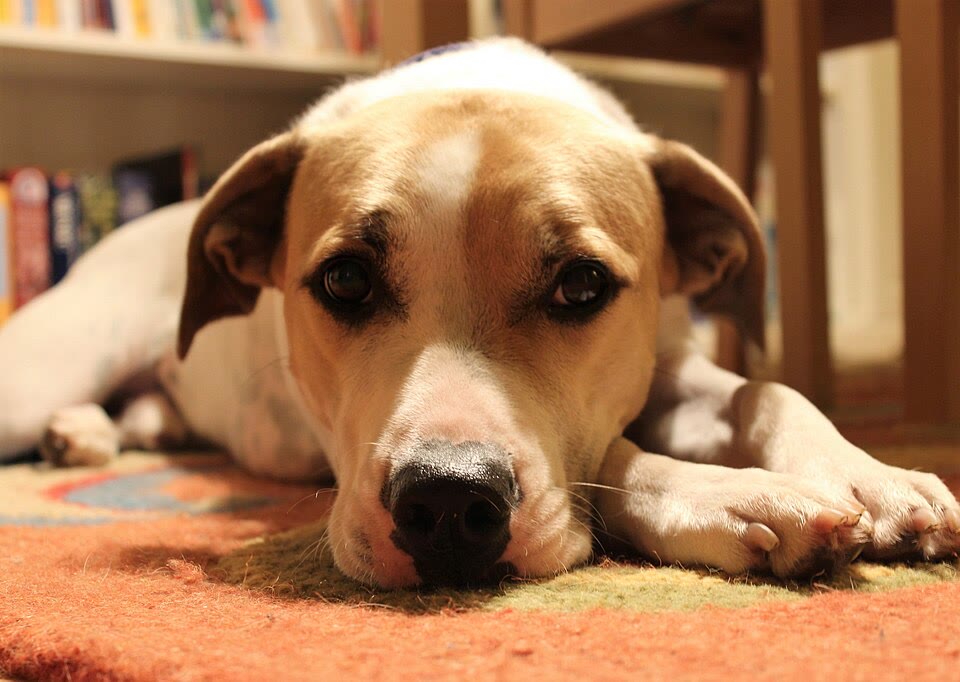
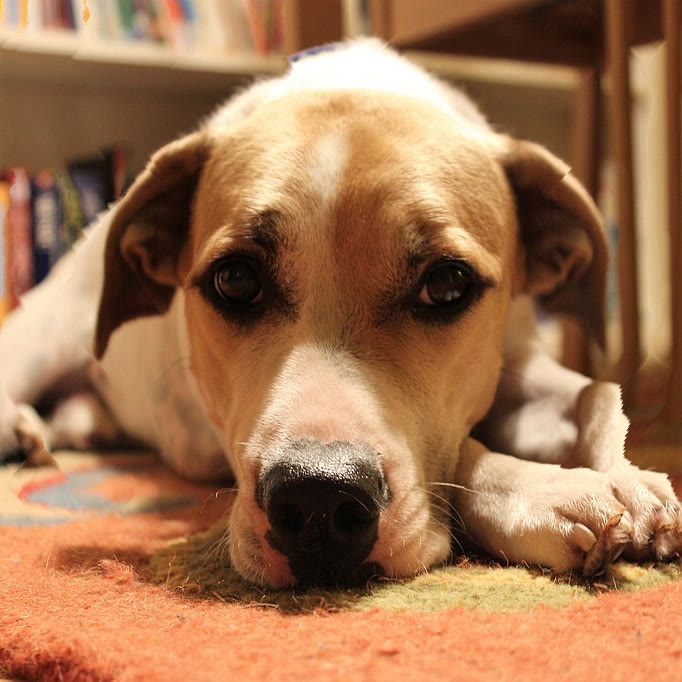
To try your own settings, open the square image tool and choose its built-in example. Compare the output with the original before exporting.
Why a wide banner is harder
A near-square portrait needs a much larger change to fit a 3:1 banner. In the saved cat example below, the head becomes wider and the eye and whiskers change shape. A background that looks soft is not enough to protect a subject that occupies most of the frame.
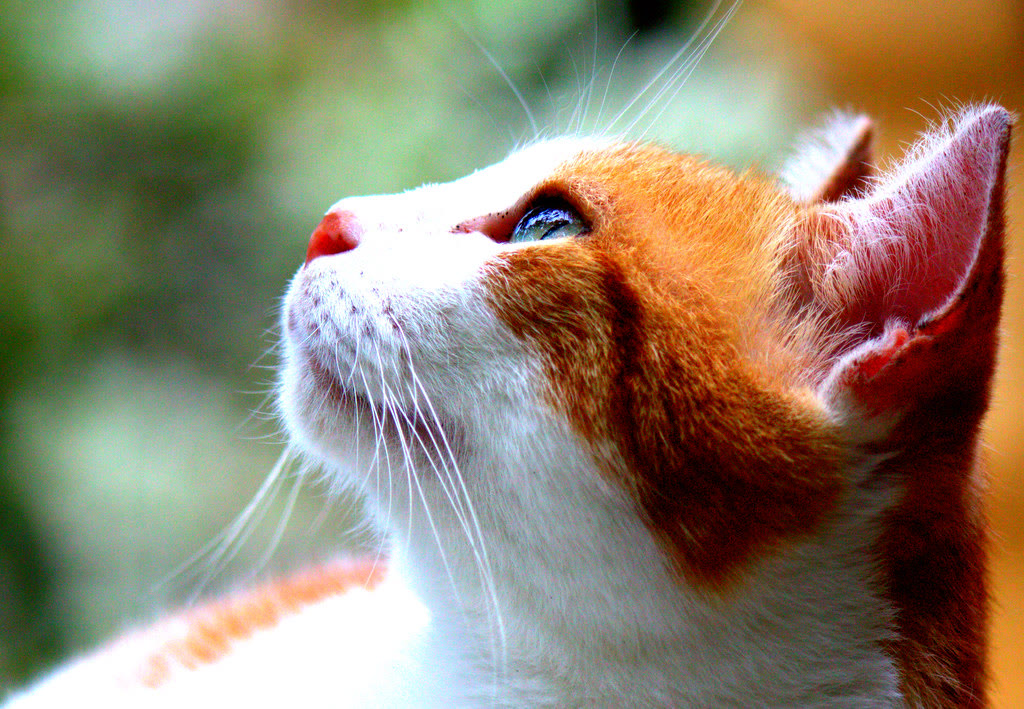
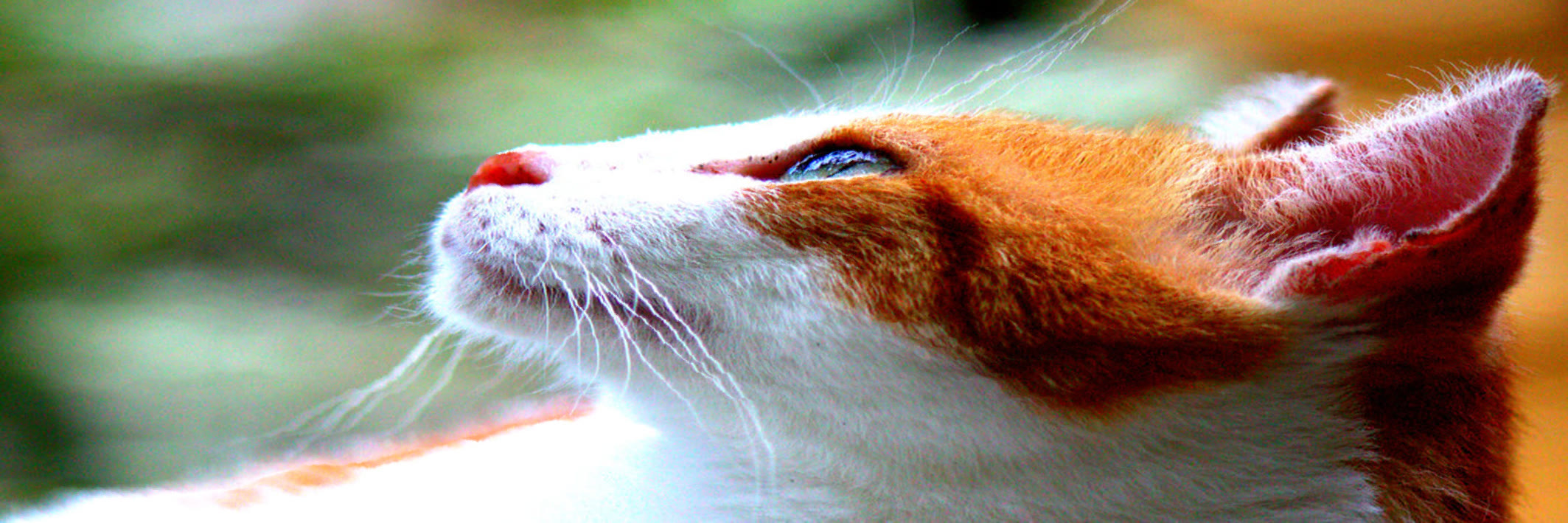
For a portrait that must remain faithful, choose a wider source photo or place the portrait on a canvas with margins in another editor. A conventional crop can also be preferable if you can afford to lose background.
When the image tool crops automatically
The current image resizer limits the proportion of a dimension handled by seam carving to 25%. If a target would require more, it first crops toward a region with stronger visual edges, then carves the remaining difference. A “Quality guard” note accompanies that result.
Strong visual edges are not the same as the subject you care about: a busy tree can outrank a small bird. Inspect the whole frame, not just the center. The separate meme video generator intentionally pursues distortion and should not be used to preserve a photograph.
Choose a method for the image
- Quiet background, modest ratio change: try seam carving, then inspect the subject and edges.
- Text, logos, buildings or repeating patterns: prefer ordinary resizing, a deliberate crop or a layout with margins when exact geometry matters.
- Large ratio change or subject at an edge: use a closer source ratio or accept a deliberate crop. A protection region is a hint, not a guarantee against all changes.
- Intentional distortion: use the meme video generator and preview the whole animation.
Before you download
- Check faces, lettering, straight lines and any detail touching the image edge.
- Read the quality note if automatic cropping was needed.
- Inspect the exported image at its intended display size. Small previews can hide artifacts.
- Keep the original so you can retry another size or another editing method.
Image processing happens on your device. Large images may be scaled down for processing, and speed depends on the browser and device. If you find an unclear explanation or a reproducible problem, send a report.